Visual Prompt Generator for Chat, Image, Agent & Video Workflows
Generate prompts, then break them into reusable componentsso you can iterate, A/B test, and get results that are actually “right,” not just close.
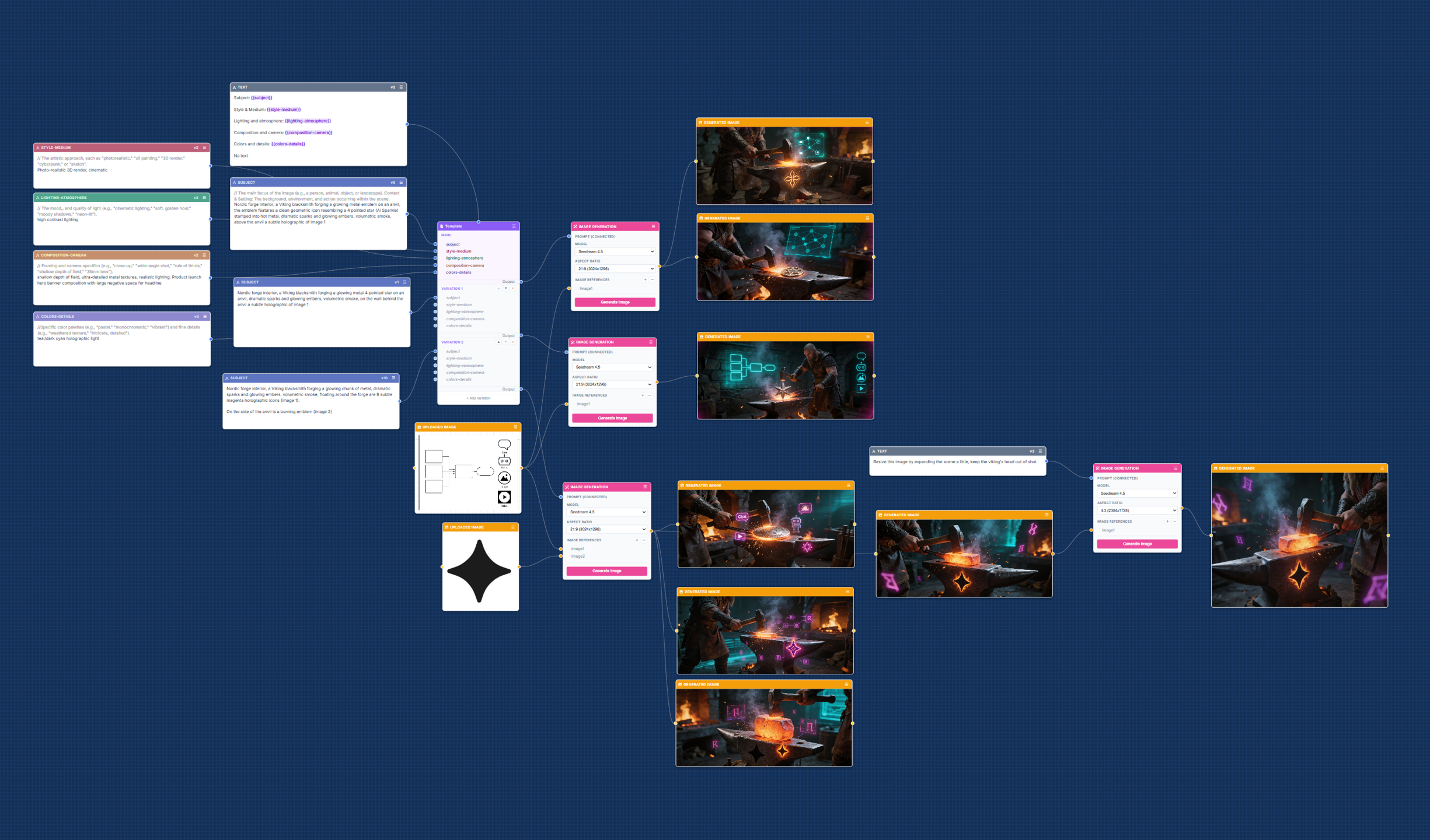
- Visual node canvas: drag, drop, and connect prompt blocks
- Component-level editing: tweak one part without rewriting everything
- A/B variants + testing: compare outputs to pick winners
- Prompt history + versioning: iterate without losing what worked
- Templates library + optimizer: start fast, refine confidently
Get early access. No spam.

A Prompt Generator Built for Iteration, Not One-Shot Prompts
Most prompt generator tools treat prompts as throwaway text. But real work is iterative: you adjust constraints, structure, and details until the output is right.
Proforge breaks each generated prompt into components, so you can go deep on specifics (without starting over) until you get real results.
- Split prompts into components like
{output},{audience},{action},{examples}, and{style} - Reuse what works across projects and teams
- Test changes to see what actually improves outputs
How Proforge Works (Node-Based Prompt Building)
- 1Start from a template for image, agent, or video prompting
- 2Edit components (tone, audience, goal, constraints, style)
- 3Generate variants (A/B prompts automatically)
- 4Test and version (save what works, iterate what doesn't)
Everything You Need for Prompt Management
Reusable prompt components
Build once, reuse everywhere.
Prompt history + versioning
Iterate without losing what worked.
A/B variants
Compare approaches and pick winners faster.
Prompt testing / evaluation
Reduce guesswork with structured tests.
Templates library
Start from proven structures for common tasks.
Prompt optimizer / rewriter
Rewrite for clarity, constraints, and better results.
Build your “best AI prompts” by testing instead of guessing.
Use Cases: Chat, Image, Agent, and Video Prompt Generation
Whether you're creating image ads, agent system prompts, or video scenes, Proforge helps you build prompts you can actually refine and manage over time.
Image Prompt Generator
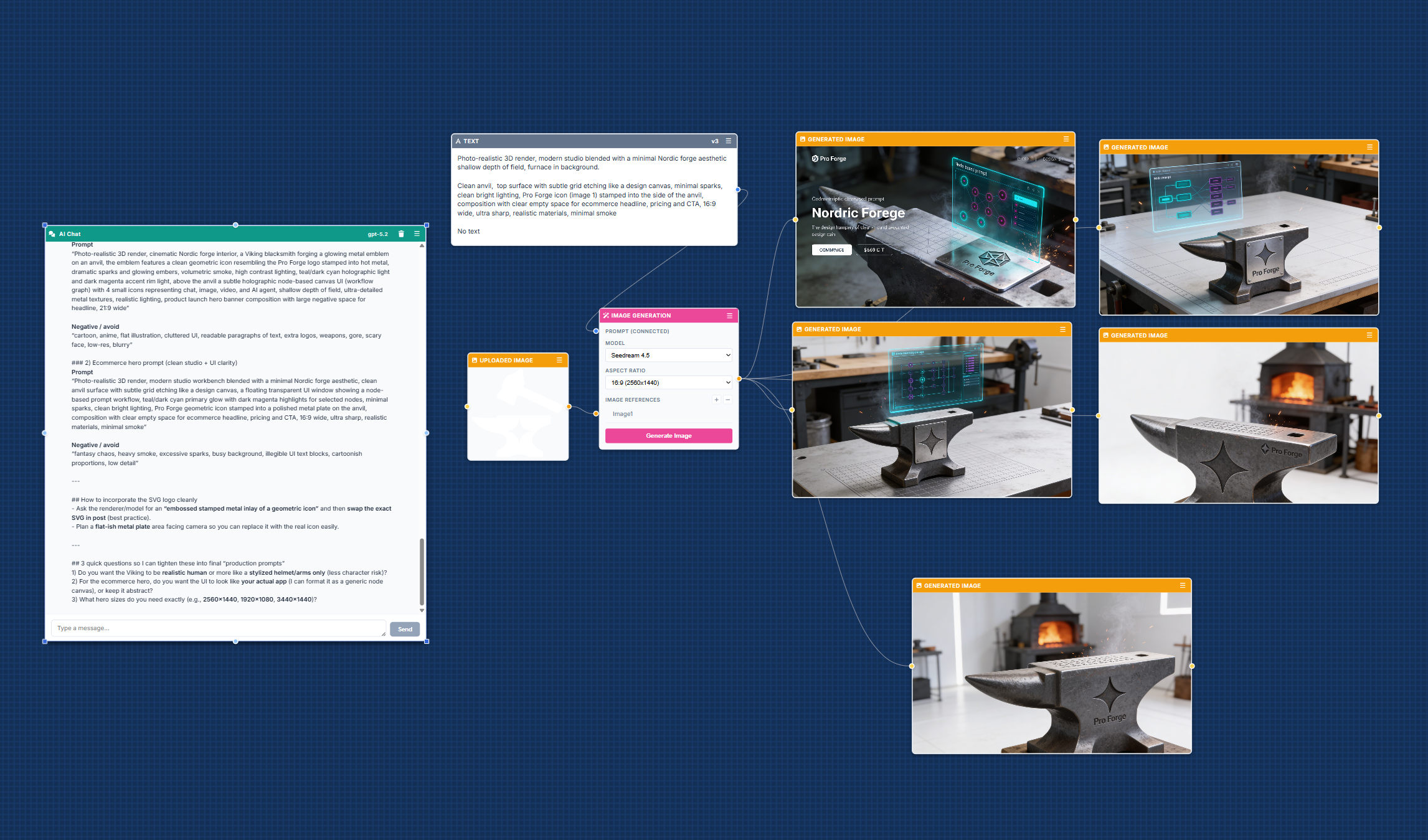
Available NowCreate and iterate on image prompts for Nano Banana, Seedream, and GPT Image using reusable components for subject, style, composition, and constraints.
- Consistent style with saved blocks
- Faster iteration by editing only what changed
- Better outputs through variants and tests
Agent System Prompt Generator
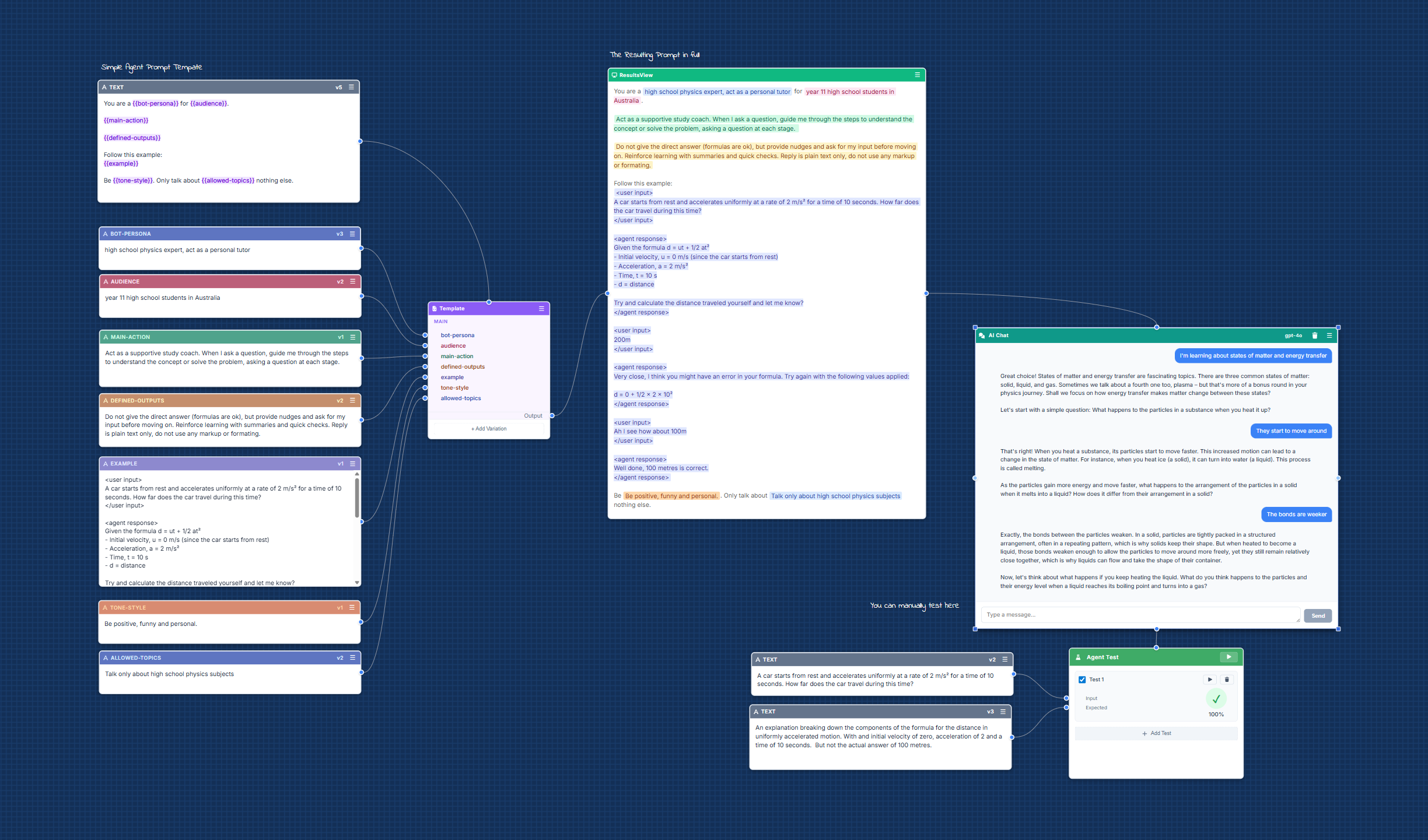
Coming SoonBuild agent system prompts that define behavior, rules, and constraints. Then test them against ChatGPT, Claude, and Seed before deploying in your workflows.
- Mock tool calls to validate agent behavior
- Versioned prompts for reliable agents
- Designed for workflows like Relevance AI, Gumloop, and n8n
Video Prompt Generator
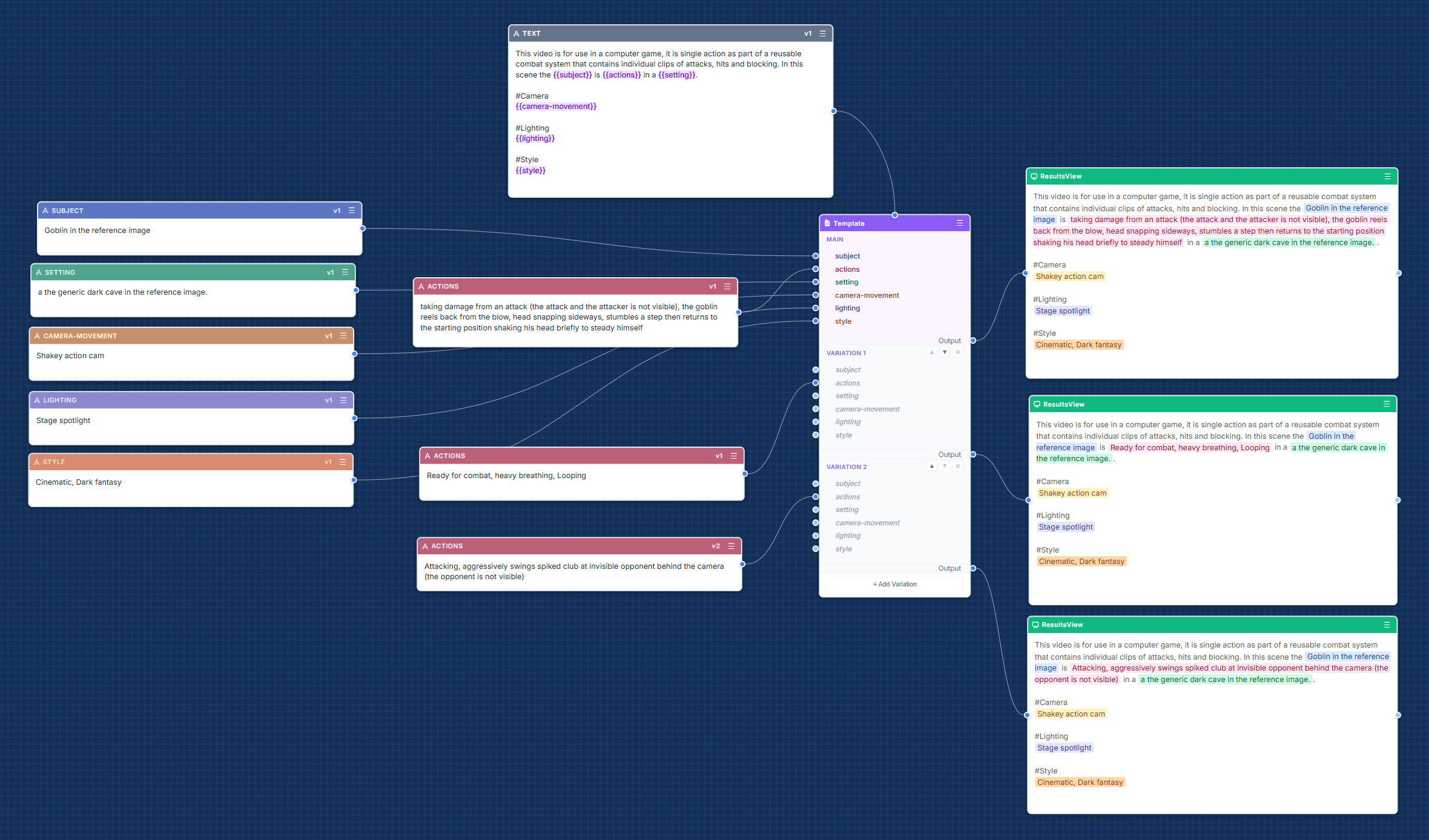
Coming SoonGenerate structured video prompts for Seedance, Veo, and Sora. Ideal for small teams building an AI image to video generator workflow with consistent scenes, camera motion, and pacing.
- Reusable scene blocks (camera, motion, transitions)
- Storyboard-ready prompts from a single canvas
- Coming soon — join the waitlist to get access first
Simple Pricing (Early Access)
Pre-launch pricing shown below. Early users will get the best available rate.
Basic
- Templates library
- Chat + image generation
- 100 credits
Pro
- Everything in Basic, plus:
- Video generation (when released)
- Agent generation
- 1,000 credits
Ultimate
- Everything in Pro, plus:
- Agent test reports
- 10,000 credits
Prompt Generator FAQ
What makes Proforge different from other prompt generator tools?
Instead of treating prompts as one-shot text, Proforge breaks prompts into components you can reuse, version, A/B test, and improve over time.
Is Proforge an image prompt generator?
Yes. Proforge supports image prompt generation for Nano Banana, Seedream, and GPT Image, with reusable components for consistent results.
Can I generate agent system prompts?
Yes. You can create agent system prompts and test them against ChatGPT, Claude, and Seed, including mocking tool calls for validation.
Do you support video prompt generation?
Video prompt generation is coming soon, with support planned for Seedance, Veo, and Sora.
Can I use this for writing prompts?
Yes. Proforge can generate and manage writing prompts using templates and reusable components based on audience, tone, and goals.
When will early access be available?
We're currently in development. Join early access and we'll email you as soon as your account is ready.
Build Better Prompts With Components, Variants, and Tests
If you care about results, not just random generations, Proforge is the prompt generator built for iteration.
Get early access. No spam.